Introduction #
XBase-UI v3 is a UI component library for Vue.js v3 without dependencies to any CSS framework. The XBase-UI v3 component is almost similar to the XBase-UI v2. The base component or the XBase-UI is based on another UI component library. For XBase-UI v3, we use Oruga as the foundation of the library.
By eliminating dependencies on CSS, this framework can be considered as light and agnostic like Oruga. Where the user can change the appearance of the component based on the chosen CSS framework. Like, TailwindCSS, bulma, Material Design, and etc.
XBase-UI default stylesheet #
Because XBase-UI doesn't have its own default stylesheet. We developed another library for the default stylesheets of this XBase-UI which is the Theme XBase-UI. However, XBase-UI can also use the default CSS stylesheet from Oruga.
How XBase-UI can help the development of your project #
Because XBase-UI doesn't have its own default stylesheet. We developed another library for the default stylesheets of this XBase-UI which is the Theme XBase-UI. However, XBase-UI can also use the default CSS stylesheet from Oruga.
A web app is a combination of small elements and groups of elements that are assembled into a fully functional app. To help understand this breakdown, we can use the Atomic Design paradigm. Atomic design is atoms, molecules, organisms, templates, and pages concurrently working together to create effective interface design systems. You can see the link here and here to learn more about Atomic design.
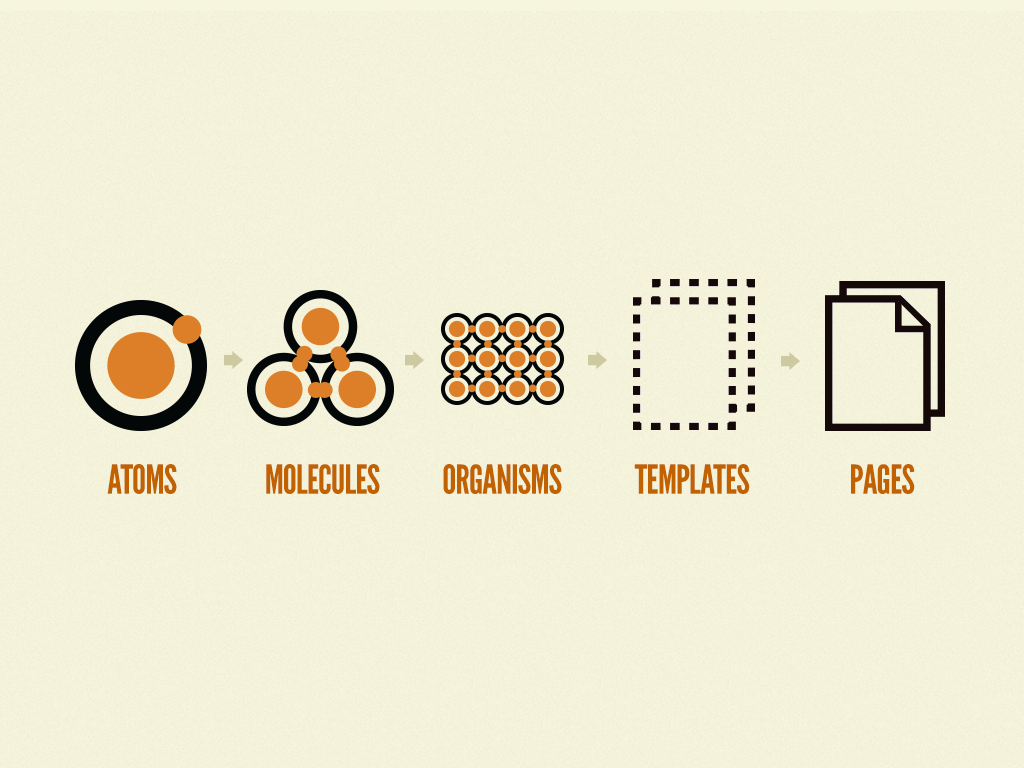
Explanation:
・ Atoms is our interfaces serve as the foundational building blocks that comprise all our user interfaces. These atoms include basic HTML elements like form labels, inputs, buttons, and others that can't be broken down any further without ceasing to be functional.
・ Molecules are relatively simple groups of UI elements functioning together as a unit. For example, a form label, search input, and button can join together to create a search form molecule.
・ Organisms are relatively complex UI components composed of groups of molecules and/or atoms and/or other organisms. These organisms form distinct sections of an interface.
・ Templates are page-level objects that place components into a layout and articulate the design's underlying content structure.
・ Pages are specific instances of templates that show what a UI looks like with real representative content in place. Pages apply real content to templates and articulate variations to demonstrate the final UI and test the resilience of the design system.
Oruga library provides the atomic component such as button, icon, etc. XBase-UI then combines the atomic component from oruga library to provide the standardized molecules and organisms such as breadcrumbs, sidebar, table, etc. Using the combination of atomic from oruga + molecules and organism from XBase-UI, you can later produces your own template and pages for your own project. You can see the image illustration of the atomic design concept implementation in XBase-UI below.

Since Xbase-UI will help you with low-level UI (Atoms, Molecules, Organisms), it will enable you to focus on what matters in your project (Templates and Pages). This definitely provides faster development and more standardized code for your project.
How to use the library? You can go to the next section.