Create Custom Icon Pack #
There are several ways that you can use asking UI/UX for icon-packs or making your own using icomoon or fontello. On this page you can make your own icon-pack specifically using icomoon.
How to make an icon-pack with icomoon or fontello itself is the same. For icomoon itself, you just need to create a new account and enter the icomoon app then upload an icon svg asset in the form and generate the icon.
For more details, you can follow the steps below:
1. Visit icomoon site #
You can visit the IcoMoon website then create your own account then enter the IcoMoon app page.

2. Upload the icon asset #
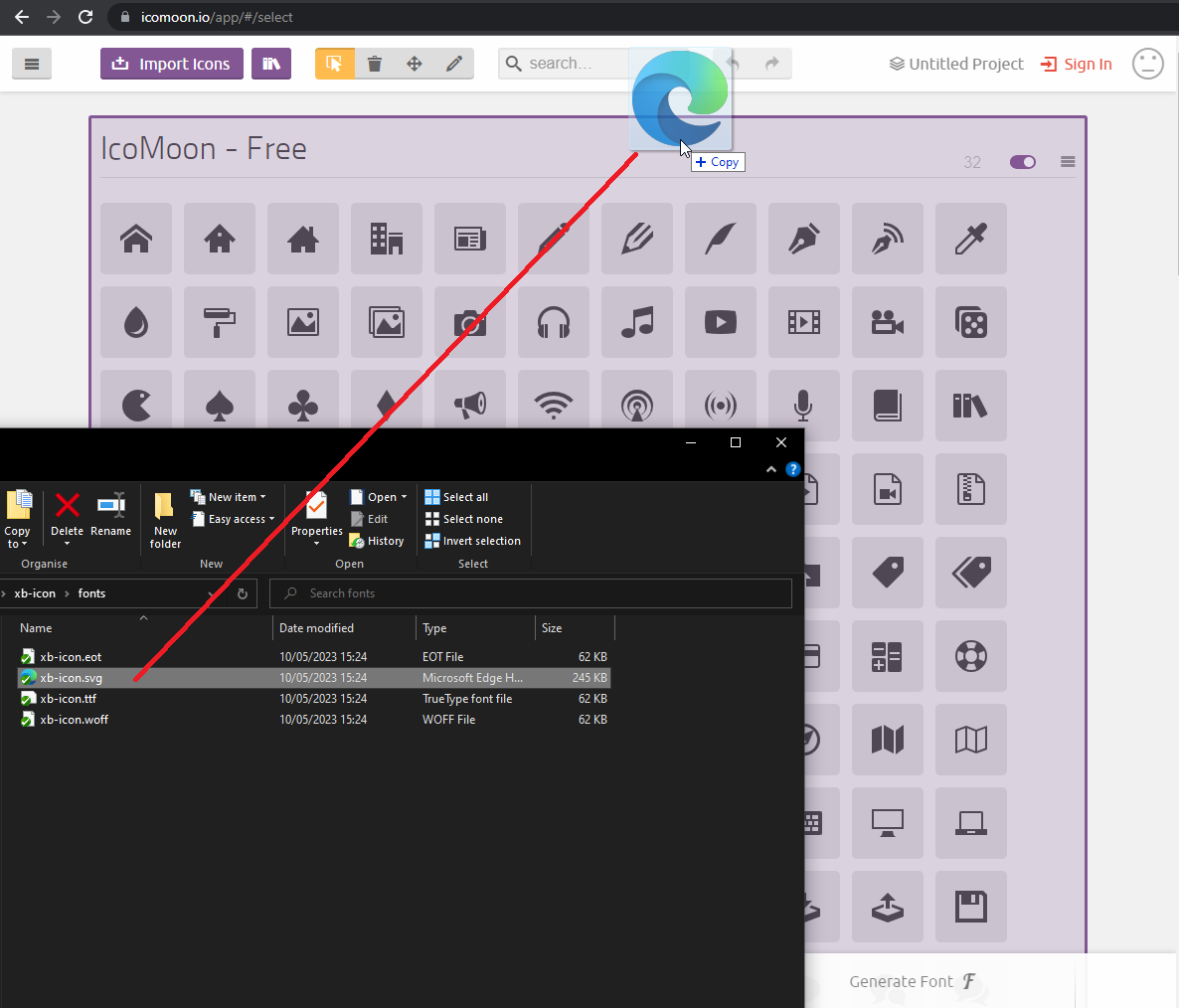
After you enter the IcoMoon app page, you can upload the svg asset of icon in the form. After that, wait until your icon appears.
3. Select the icon #
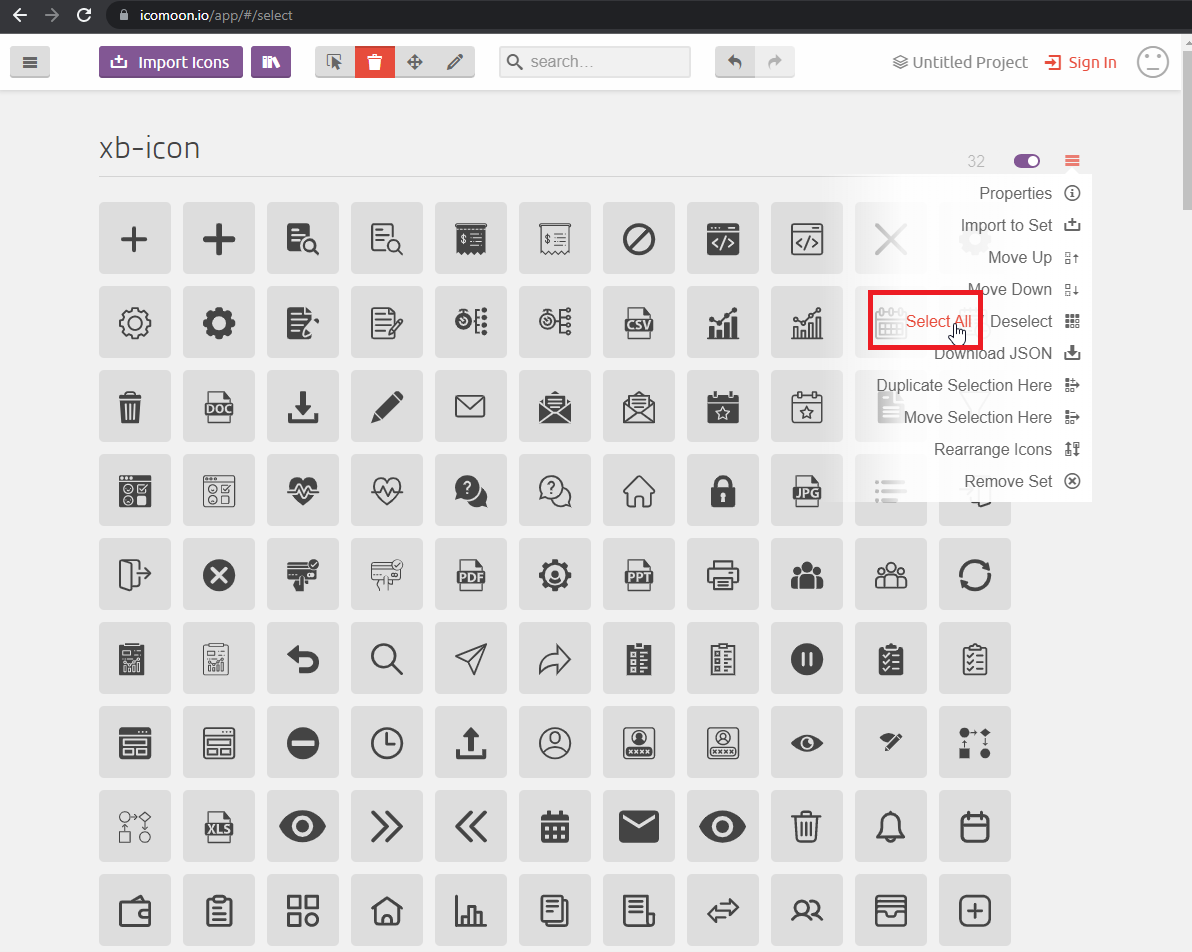
After the upload is successful, the next step is to choose which icon you want to include in the icon-pack. You can immediately select all by clicking the hamburger icon then selecting Select All.
4. Generate the icon-pack #
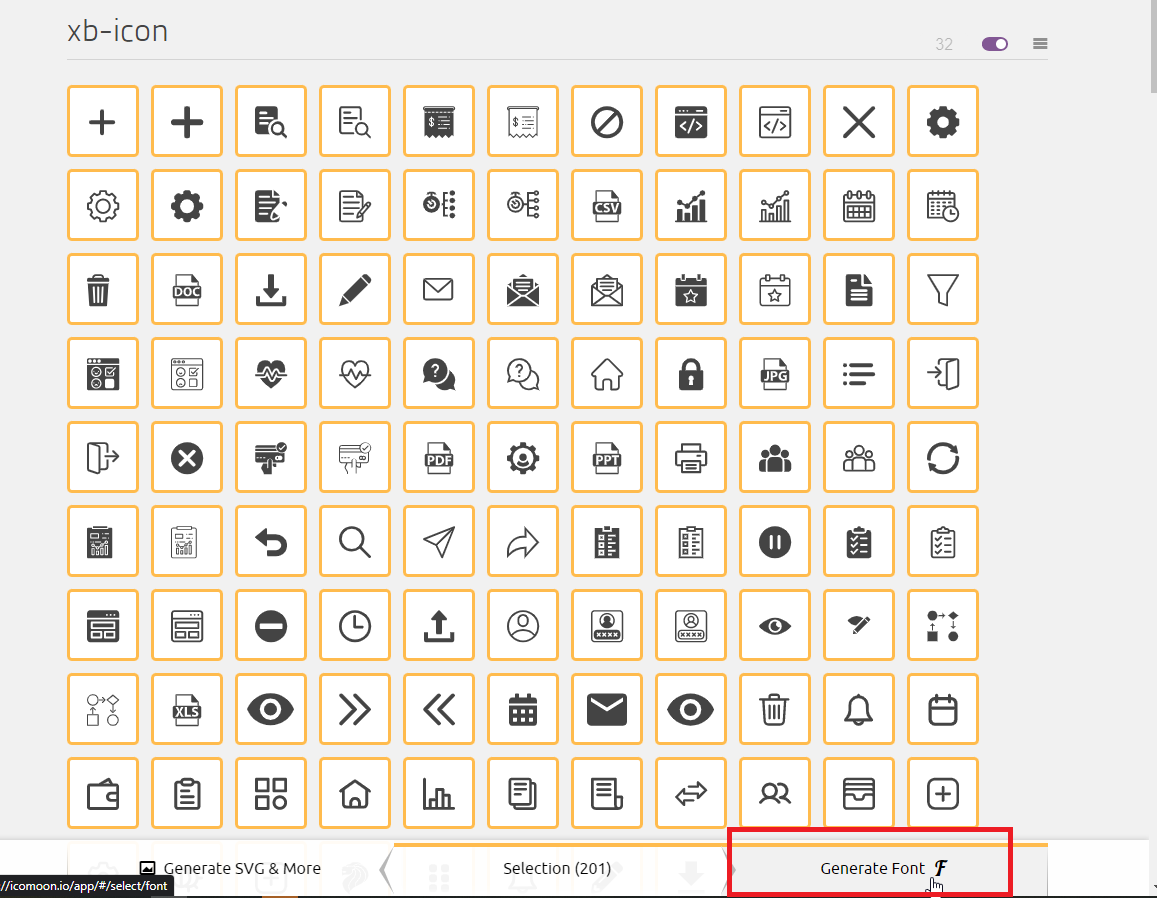
After you choose the icon to generate, you have to name your icon one by one on the generate font menu.
5. Download #
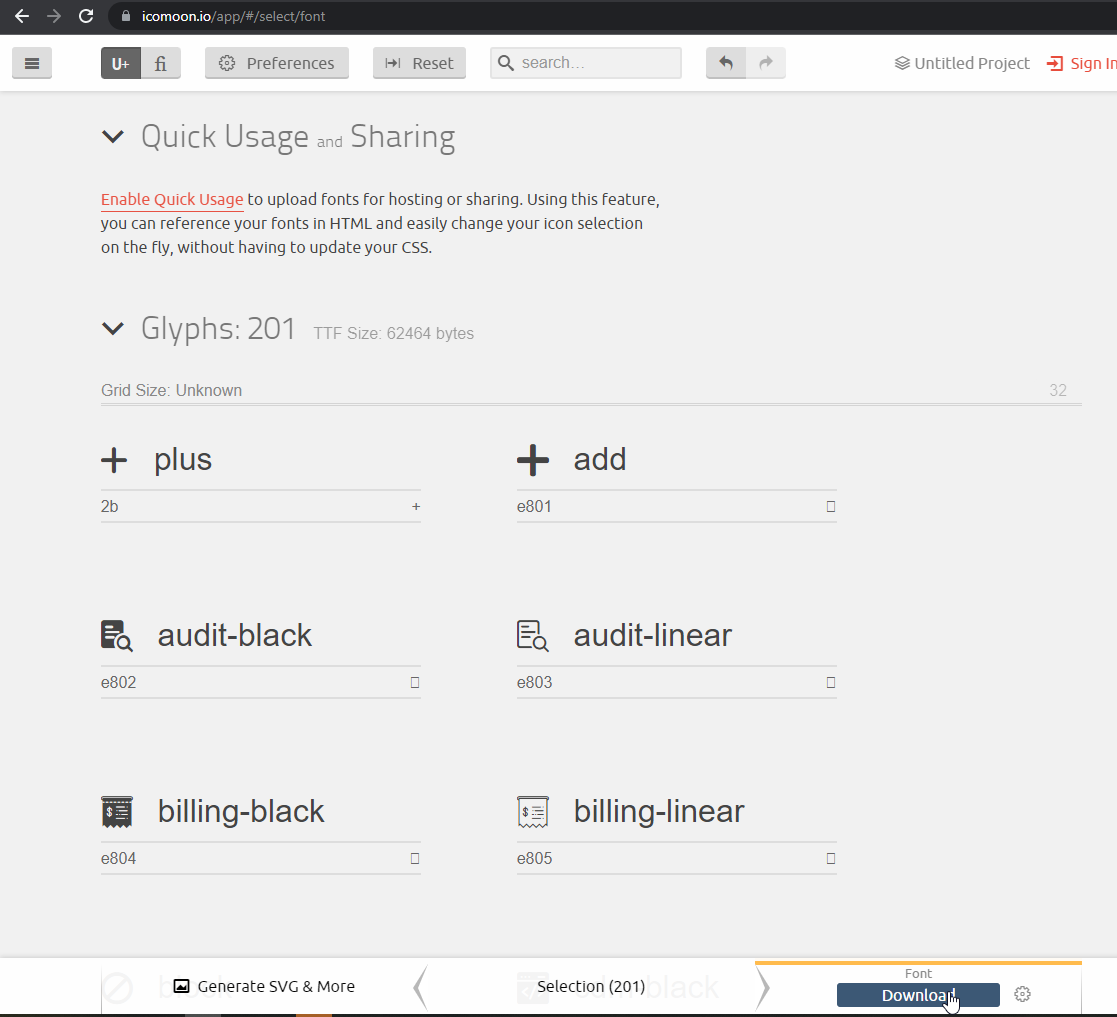
After all the icons are named and you are sure of the contents of your icon pack, then download the font.
Congratulation #
Your icon pack is finished and ready to use.