- Published on
Vue - Security
In this article, security best practices will be explained.
Technical-Scope
The technical-scope covers the technical aspects of the application, i.e vulnerability and potential security dangers, that aims to provide a general guidelines for it.
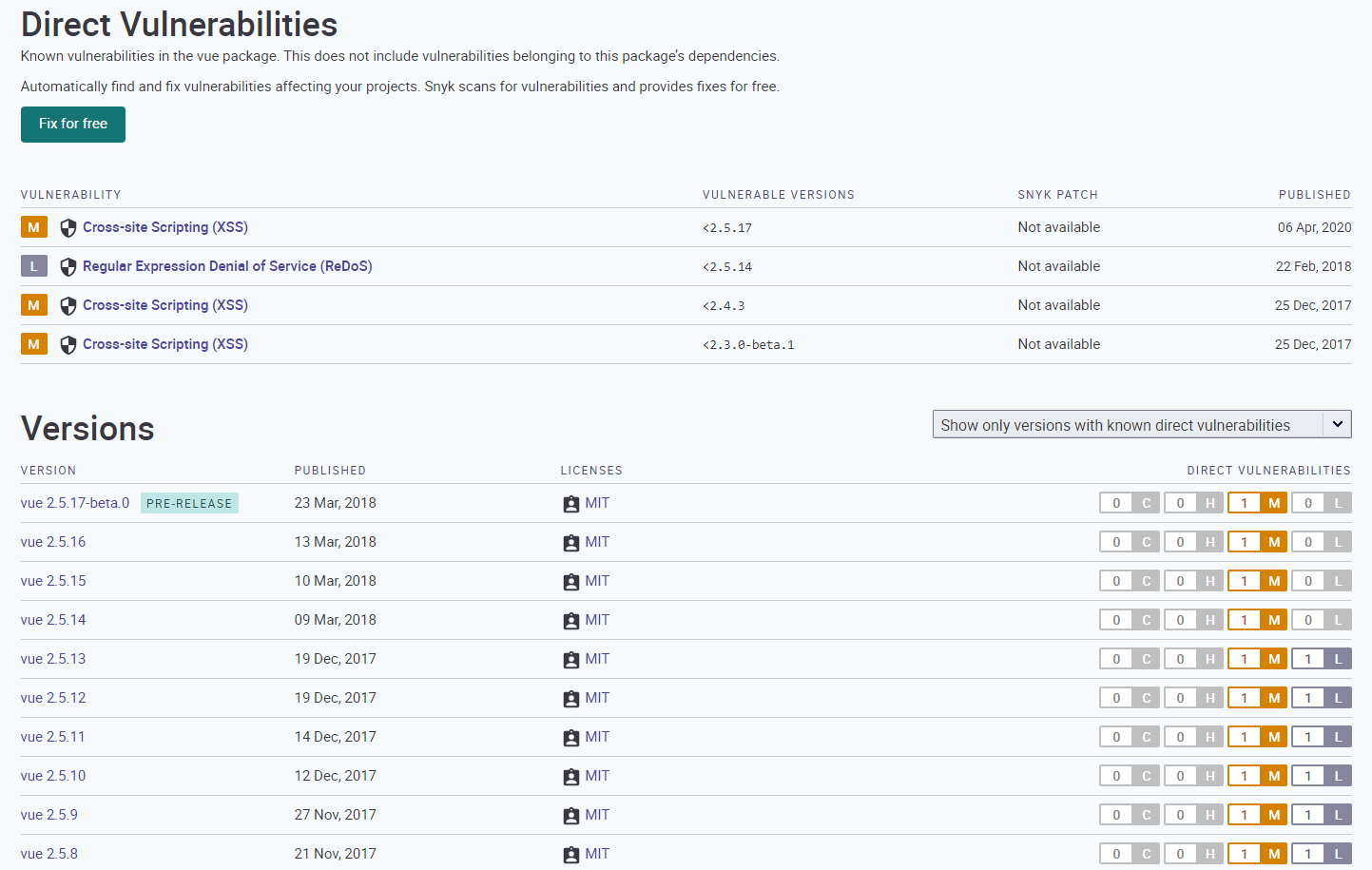
Ensure you are not using a vulnerable library
We recommend always using the latest versions of third party library and its official companion libraries to ensure your application remains as secure as possible. You can check the vulnerability report of the most NPM package in this Snyk.io site.
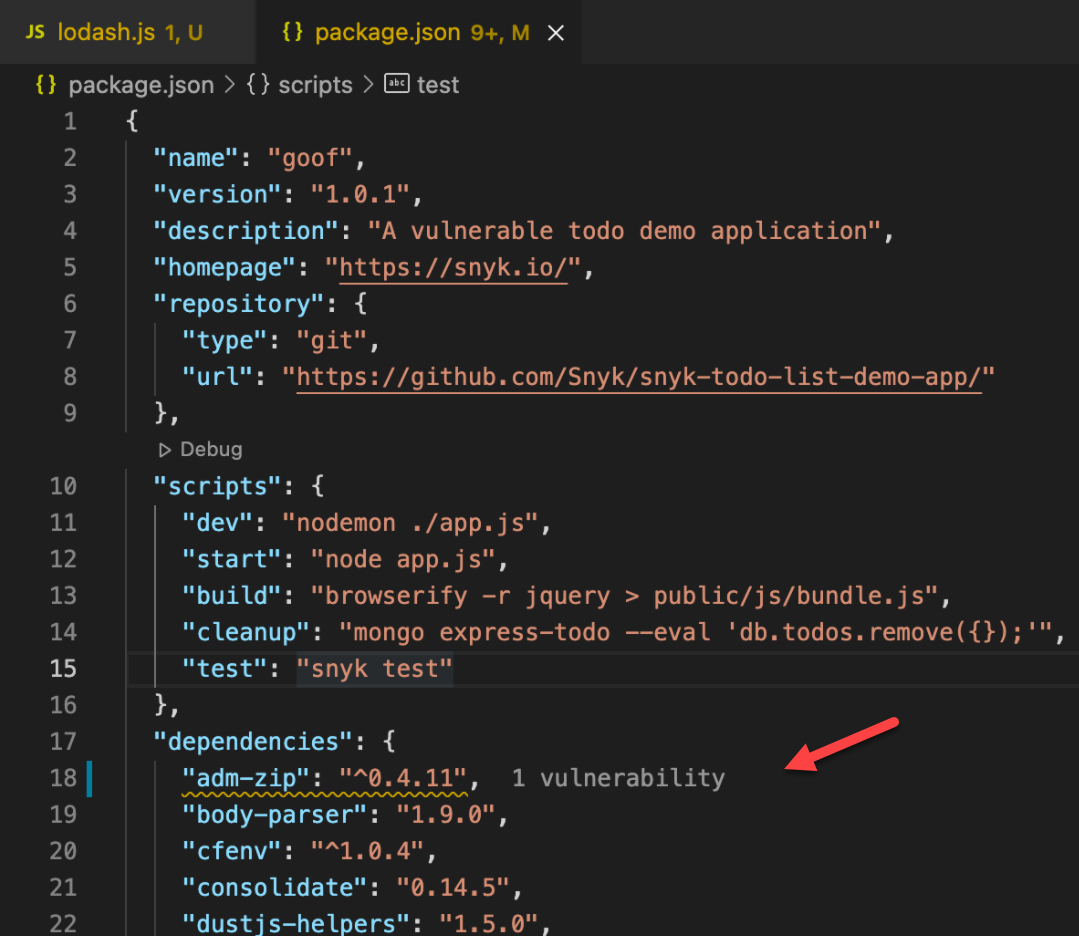
Snyk also provided an extension for VSCode to help you find a vulnerable package and check the security issues in your code Snyk Vulnerability Scanner - Visual Studio Marketplace.
Never use non-trusted templates
The most fundamental security rule when using Vue is never use non-trusted content as your component template. Doing so is equivalent to allowing arbitrary JavaScript execution in your application - and worse, could lead to server breaches if the code is executed during server-side rendering.
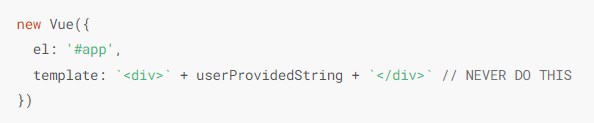
Vue templates are compiled into JavaScript, and expressions inside templates will be executed as part of the rendering process. Although the expressions are evaluated against a specific rendering context, due to the complexity of potential global execution environments, it is impractical for a framework like Vue to completely shield you from potential malicious code execution without incurring unrealistic performance overhead. The most straightforward way to avoid this category of problems altogether is to make sure the contents of your Vue templates are always trusted and entirely controlled by you.
Potential Warnings
In any web application, allowing unsanitized, user-provided content to be executed as HTML, CSS, or JavaScript is potentially dangerous, so it should be avoided wherever possible. There are times when some risk be acceptable though.
Vue has provided an official guidelines to remind you regarding these potential warnings in this Security — Potential Dangers page.
❗ Learn more about potential dangers for security from these resources:
Business-Scope
The business-scope covers the access control of the application, that aims to provide a general guidelines on how to handle the authentication and authorization of the user.
Note
Handling Auth on the client doesn't mean it shouldn't be handled on the server. As the matter of fact, it is more important to protect the resources on the server, but it should be handled on the client as well for better user experience.
Authentication
Authentication is a process of identifying who the user is. The most common way of authenticating users in single page applications is via JWT. During logging in / registration you receive a token that you store in your application, and then on each authenticated request you send the token in the header or via cookie along with the request.
The safest option is to store the token in the app state, but if the user refreshes the app, its token will be lost.
That is why tokens are stored in localStorage/sessionStorage or in a cookie.
localStorage vs cookie for storing tokens Storing it in localStorage could bring a security issue, if your application is vulnerable to XSS someone could steal your token.
Storing tokens in a cookie might be safer if the cookie is set to be HttpOnly which would mean it wouldn't be accessible from the client side JavaScript. The localStorage way is being used here for simplicity reasons, if you want to be more secure, you should consider using cookies but that is a decision that should be made together with the backend team.
To keep the application safe, instead of focusing only on where to store the token safely, it would be recommended to make the entire application as resistant as possible to XSS attacks E.g - every input from the user should be sanitized before it's injected into the DOM.
HTML Sanitization Example Code
Handling user data
User info should be considered a global piece of state which should be available from anywhere in the application. You can use vuex-persistedstate library for handling user state which will handle all the things for you after you provide it some configuration or a separated Vuex store module to store the data.
AuthBase Framework Usage Example
Storing User Data in The vuex-persistedstate
Auth Base Framework
XBase UI developers has already provided a utility which is an extension of oidc-client that can be used to handle the auth process. You can read the documentation here.
The application will assume the user is authenticated if a user object is present.
Route Navigation Guard Example Code
Global Navigation Guard
XBase UI developers has already provided a utility which can be used to handle the global navigation guard in your Vue router. You can read the documentation here.
Authorization
Authorization is a process of determining if the user is allowed to access a resource.
RBAC (Role based access control)
Authorization Configuration Example Code
The most common method. Define allowed roles for a resource and then check if a user has the allowed role in order to access a resource. Good example is USER and ADMIN roles. You want to restrict some things for users and let admins access it.
PBAC (Permission based access control)
Sometimes RBAC is not enough. Some of the operations should be allowed only by the owner of the resource. For example user's comment - only the author of the comment should be able to delete it. That's why you might want to use PBAC, as it is more flexible.
For RBAC protection you can use the RBAC component by passing allowed roles to it. On the other hand if you need more strict protection, you can pass policies check to it.
PBAC: Permission Meta in the Vue Router
- Author
- Label
- Author
- Name
- Gingsir Pradipta